Recall that a matrix has numbers in both rows and columns. They are used extensively in science and engineering and are useful for storing numbers in table-like formats or for other linear algebra techniques that you will learn in future classes.
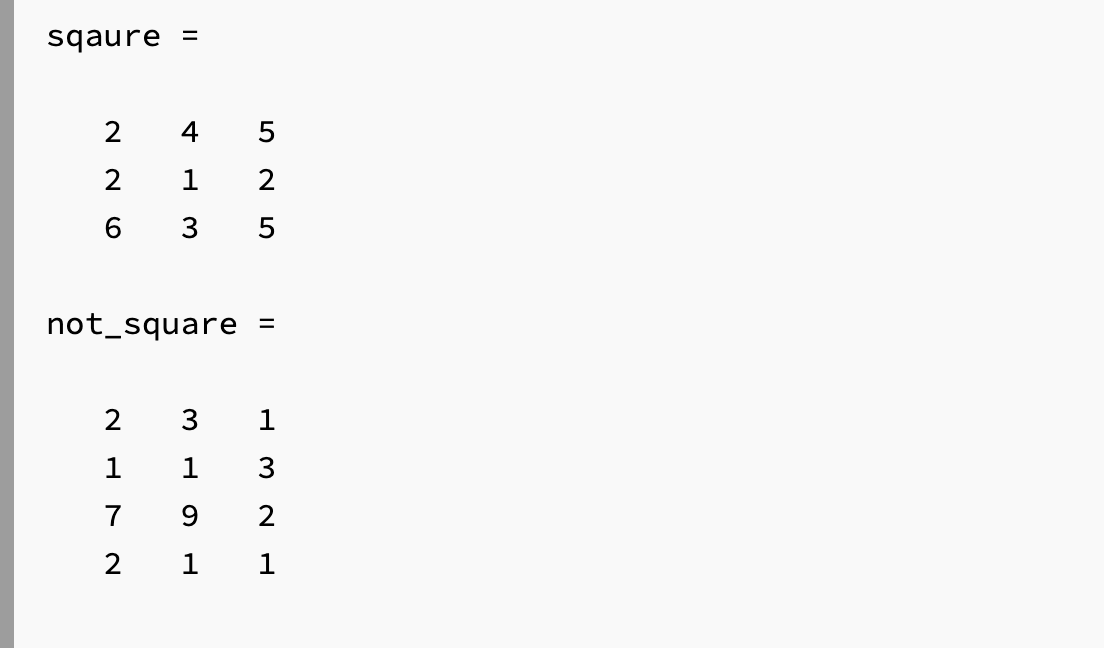
The terminology we will use in this class is to describe matrices by the number of rows and columns they have. Furthermore, you can have either square or non-square matrices depending on the number of rows and columns. Consider the following two matrices:
In figure 10.3.1 above, we can see that the matrix square has 3 rows and 3 columns. To make it easy to write, it is common to say that this is a 3x3 (pronounced “three by three”) matrix. Square matrices have the same number of rows and columns. It follows that since not_square has 4 rows and 3 columns it is not square. We would say this is a 4x3 matrix (pronounced “four by three”).
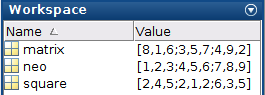
Notice that this creates a 3x3 matrix called neo. The only difference between matrices and vectors is that all the rows must have the exact same number of elements. For example, you can’t have row 2 have 3 elements, while row 3 has 4 elements.
Sometimes it is useful to create vectors or matrices with all zeros or all ones in their spots. You could create a 4x4 matrix with all ones by typing this:
You can imagine that creating a 4x4 matrix with all 0’s would be equally as annoying. But as we have learned, if something sounds tedious, there is a better way to do it. MATLAB has built-in functions that will do this automatically for us.
In both cases, you only specify the dimensions of the output array. For example, if you want a variable named skinny_boi to be a 5-element column vector with all ones you would type in:
As always, do your brain workout. Play around with both the ones and zeros commands to make sure that you can create row vectors, column vectors, and matrices using the commands. As usual, store them in different variable names and notice how they appear in the workspace.
Remember, that if I want a row vector variable called rex containing the elements 2,4,6,8,10 I can simply type in rex = [2:2:10]. But what happens if I want a column vector that contains those elements? Tedious alert! That means there is a shortcut. In this case, we are talking about the transpose operator ’.
The transpose operator will switch the row to columns of any type of an array. That means if you apply the transpose operator to a column vector, it will turn into a row vector. If you apply the transpose operator to a matrix, it will switch the rows with the columns.