Section10.2Arrays- The Fundamental Data Type of MATLAB
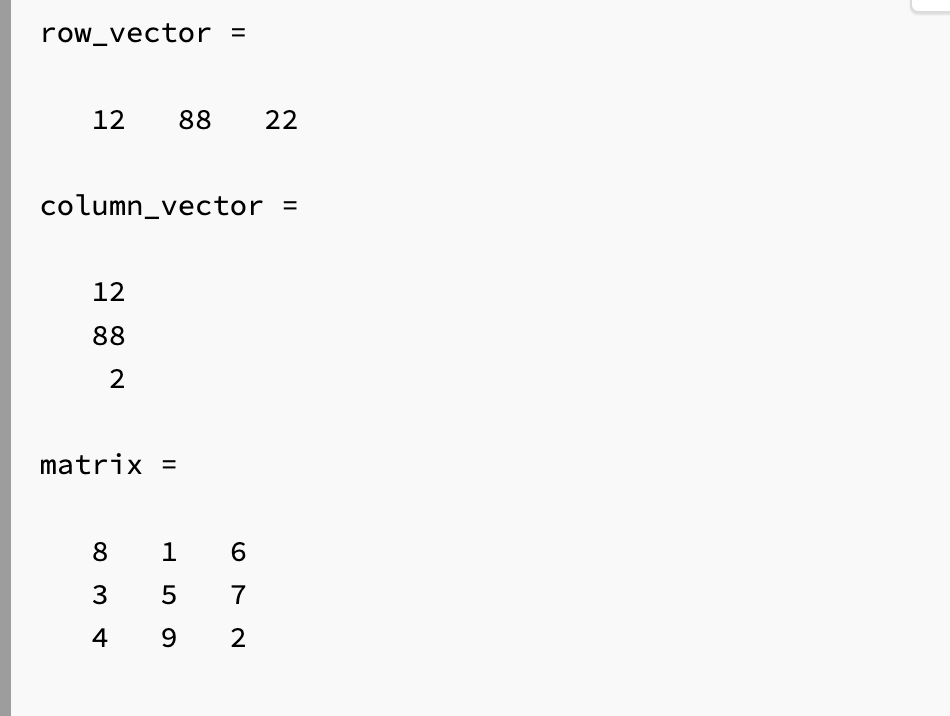
As we will see in future chapters, our script can be further improved using arrays, the fundamental data type in MATLAB. An array is a list of numbers arranged in rows and/or columns. In practice, one-dimensional arrays are called vectors and have numbers stored in either a row or a column. Two-dimensional arrays are called matrices and are collections of numbers stored in both rows and columns.
Try typing the following line into the command window. Instead of spaces, you can put commas between the numbers if you prefer. I recommend trying it both ways for your brain workout. Do not copy and paste! typing it out will help with remembering:
When you hit enter, you should see MATLAB displays the row vector to you in the command window. Now we have a row vector that corresponds to a bunch of different scores for the final. This can be useful because it allows us to calculate a whole array of different averages based on the different exam scores! We will learn how to do that in the next chapter. For now, concentrate on learning the basics of arrays.
Which of the following commands will create a row vector named row_boi containing the values 65, 12, 1, and 5? (Note: the values do not necessarily need to be in that order.)
you may have found that tedious. It was! Whenever you find yourself doing something tedious there is a good chance that there is a better way to do it. MATLAB programming should never be tedious like that, it was designed for speed. Notice for the variable final as we defined it, the spacing is equal to 1 between each element.
In this case start is referring to the first term in the series, spacing is indicating how far apart you want your numbers to be, and end indicates the last number in the series.
I am sure you will agree that is a lot better! Brain workout time, try messing around with different numbers to see how MATLAB reacts. Try creating different equally spaced variables and name them different things. Spend a moment to see how they show up in the workspace.
Checkpoint10.2.6True or False: The Colon Operator.
True or False. Typing variable = [2:2:11] will throw an error because you are starting at 2, spacing by 2, and asking MATLAB to end at 11, which is not an even number.
One last note when using the : operator. If you want to create an equally spaced array with spacing equal to 1, you can omit the spacing because MATLAB will default to 1. This can save you a little time.
Sometimes it is useful to create arrays that contain a specific number of values between two points. In these cases, it might be difficult to use the : operator. For example, we might need 12 equally spaced points between 2 and 4. You can do the math to figure out how to use the : operator but since that sounds tedious, you can bet there is a built-in MATLAB function to make our lives easier.
This will create a variable called linear_spaced_variable starting at the number first, to the number last, with num number of elements. There are a few important things to note. Although we are creating an array, we do not use square brackets. That is because linspace is a function and functions are called using parenthesis. We will learn more about this in future chapters, but for now, just be careful about the parenthesis.
Notice how the array is equally spaced and that there are exactly 12 elements in the array. Brain workout time. Play around with linspace on your own. Try different combinations of numbers and variable names. Notice how they appear in the workspace. DO NOT SKIP YOUR WORKOUT!