Subsection 2.1.1 The Development Process
We will use an
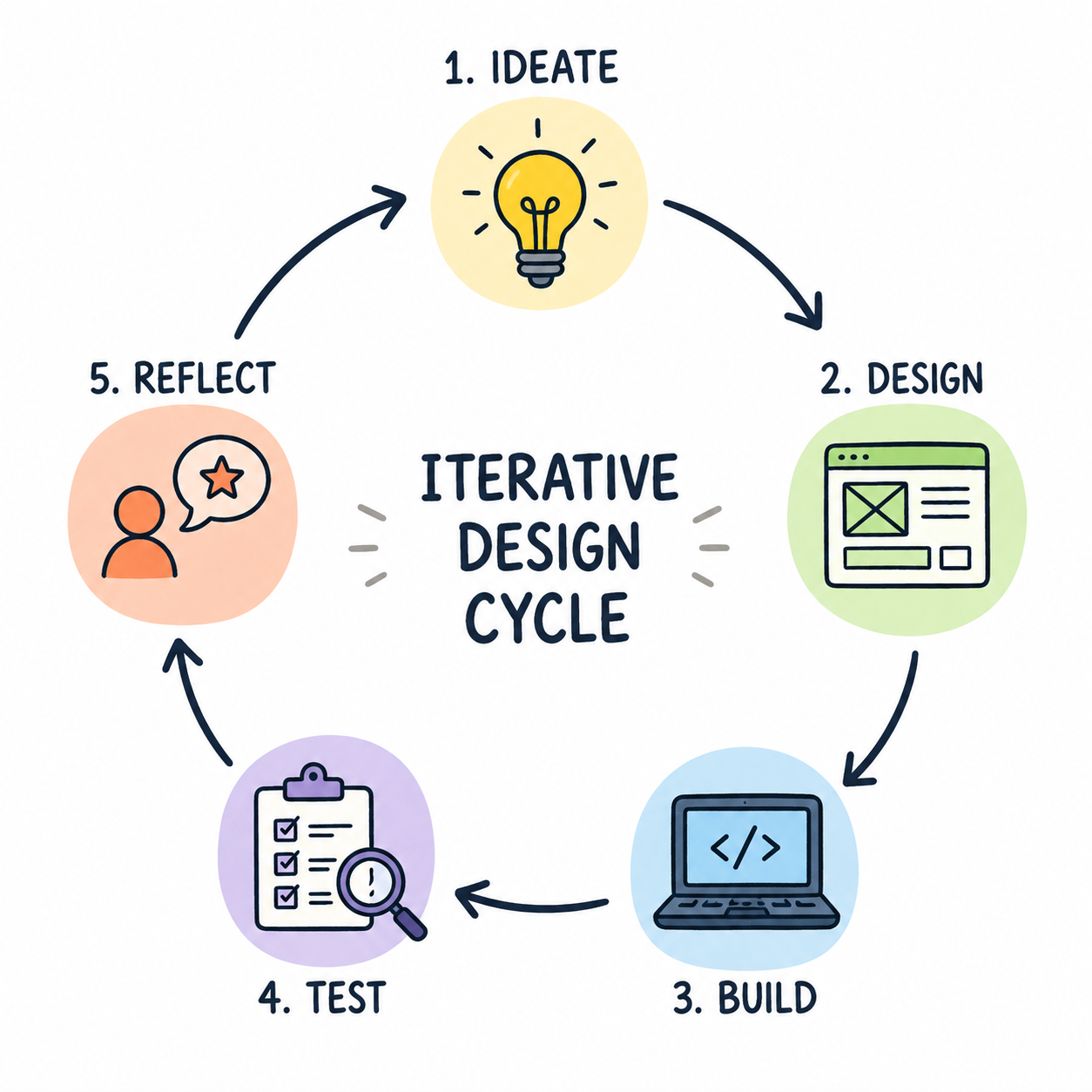
iterative development process called Design Thinking in the next section where design, implementation, and testing are repeated until the design meets user needs.
Iterative means that the process is repeated, and each repetition is called an
iteration.
App development can be iterative and
incremental where incremental means that you work on small, manageable parts of the app at a time. For example, you could design the user interface first, then add functionality in subsequent iterations.
Activity 2.1.1.
Which statement best describes an
iterative development process?
-
Revising a program repeatedly based on testing and feedback.
-
Correct! Iterative development emphasizes improving a program through repeated cycles of testing, feedback, and revision.
-
Building one feature at a time until the program is complete.
-
Incorrect. This describes incremental development, where a program is built in small, manageable pieces.
-
Writing all documentation before programming.
-
Incorrect. Documentation is created and updated throughout the development process, not only before programming begins.
-
Dividing work equally among team members.
-
Incorrect. Assigning work to team members is part of collaboration, not what defines an iterative development process.
Activity 2.1.2.
Which statement best describes an
incremental development process?
-
Revising a program repeatedly based on testing and feedback.
-
Incorrect! This describes iterative development, where a program is improved through repeated cycles of testing, feedback, and revision.
-
Building one feature at a time until the program is complete.
-
Correct! Incremental development involves building a program in small, manageable pieces.
-
Writing all documentation before programming.
-
Incorrect. Documentation is created and updated throughout the development process, not only before programming begins.
-
Dividing work equally among team members.
-
Incorrect. Assigning work to team members is part of collaboration, not what defines an incremental development process.
Many software development teams use
version control systems like
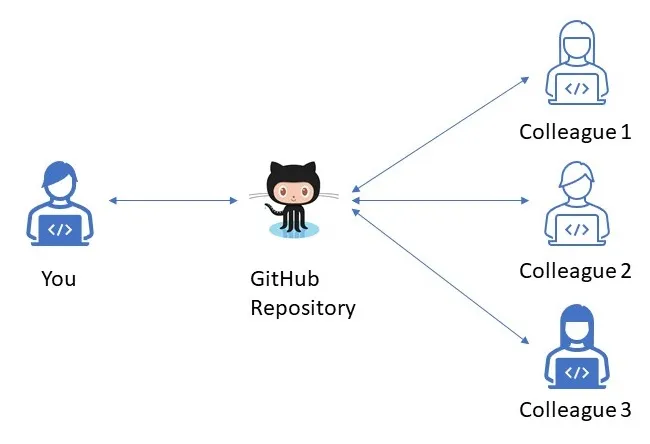
GitHub which is a platform for managing code and collaborating on projects. Github allows programmers to upload their code online, track changes, manage different versions of code, and collaborate with others on the same project.
Activity 2.1.3.
A programmer releases an app and later fixes bugs and adds support for a new phone model. This is an example of
-
Program maintenance
-
Correct! Program maintenance involves updating a program after it has been released, such as fixing bugs, improving usability, or adapting it to changing user needs or new technology.
-
Prototyping
-
Incorrect. Prototyping is the process of creating an early version of a program or app to explore ideas and gather feedback before the final product is complete.
-
User research
-
Incorrect. User research involves learning about users’ needs through methods such as surveys, interviews, observations, or user testing.
-
User testing
-
Incorrect. Testing checks whether a program works correctly and meets user needs. While testing may identify bugs, fixing them after release is part of program maintenance.
Subsection 2.1.2 Design Thinking
Design thinking is a human-centered approach to innovation that involves understanding the user, and iteratively designing creative solutions to meet their needs. Some of the world’s leading brands, such as Apple, Google and Samsung, use the design thinking approach. Watch the introduction to Design Thinking
video below.
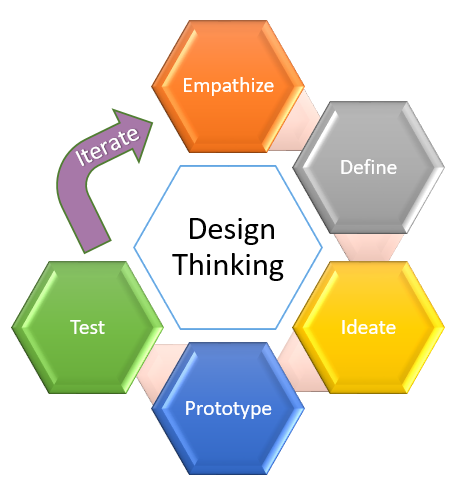
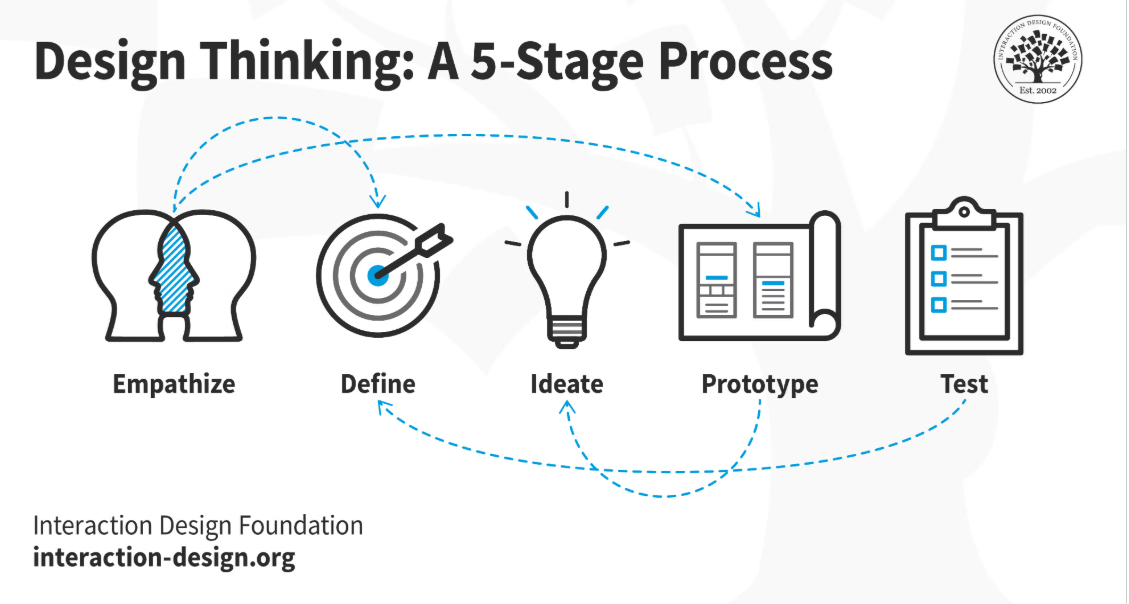
The Design Thinking process has 5 stages: Empathize, Define, Ideate, Prototype, and Test, which are repeated incrementally and iteratively until the user needs are met. The following diagram shows the Design Thinking process.
There are 5 stages in the Design Thinking process, and it all starts with connecting with your users with empathy to understand their needs.
-
Empathize: Investigate and understand your users to identify the program requirements
-
Define: Analyze the problem and determine the program specifications
-
Ideate: Brainstorm possible solutions
-
Prototype: Creatively build simple solutions
-
Test: Evaluate the solutions and go back to step 2 if needed
Project 2.1.4 Design Thinking: Chair Project.
In this project, you will use the design thinking process to design a chair for one of the Simpsons characters. If you have a GenAI tool available, you may use it to generate images of your chair design. You will work in groups (your class may use POGIL groups:
What is POGIL,
POGIL Role Cards). You may choose or be assigned a character and follow the
Design a Simpsons Chair Handout (do File/Make a Copy). Include the link to your copy of the handout below. After completing the project, reflect on the following questions as a group:
-
Describe the characteristics of your user and how your design addresses their needs.
-
Did you use iterative design where you changed some aspects of your design during implementation? What did you change?
-
Did you use incremental design where you built the chair in steps? What parts did you build in each step?
-
If you used an AI tool in the design process, how did it help you? What were its limitations?
Subsection 2.1.5 Reusing and Citing Digital Content
When borrowing code or images or text, programmers need to first determine the following:
-
Who owns the content?
-
Do they allow reuse?
-
Is acknowledgment required?
Material created on a computer is the
intellectual property of the creator or an organization. This means they are the legal owner of their created work and can decide whether others may use, share, modify, or distribute it.
Copyright is a legal right that protects the creator’s work from being used without permission. Measures should be taken to safeguard intellectual property, for example by citing work that is used but not your own. The use of material created by someone else without permission and presented as one’s own is plagiarism and may have legal consequences.
Often when creating an app, the first step is to gather assets like images to use. However, many images online are copyrighted. App creaters will have to get permission and possibly pay to use them, or they can search for free media. For example, the following sites offer free image files that can be used in apps and programs:
-
Pexels (free shared images)
-
Pixabay (free shared images)
-
Google Image Search: search for an image, then on the results page, select Tools. Under the Usage Rights drop-down, select Creative Commons Licenses.
AI-generated content typically lacks copyright protection altogether because U.S. and international laws require human authorship for copyright. However, some AI tools may have terms of service that restrict how their output can be used. Programmers should check the terms of service for any AI tool they use to generate content and provide attribution if required.
Activity 2.1.10.
A programmer wants to use an image they found online. What should they do first?
-
Check who owns it and what license or permissions apply.
-
Correct! Before reusing digital content, programmers should identify the copyright owner and determine whether the license or permissions allow reuse and whether attribution is required.
-
Assume it is free to use because it is online.
-
Incorrect. Material found online is often protected by copyright and cannot be reused without following its license or obtaining permission.
-
Edit the image slightly so it is no longer copyrighted.
-
Incorrect. Making small changes to copyrighted material does not automatically give you the right to use it.
-
Use it without attribution if it is for school.
-
Incorrect. Educational use does not automatically allow copyrighted material to be reused without following the license or giving attribution when required.
Open source software is software that is made freely available and may be redistributed and modified.
Creative Commons is a public copyright license that enables the free distribution. This is used when the content creator wants to give others the right to share, use, and build upon the work they have created.
Watch the following
video which explains Open Source vs Closed Source Software:
Activity 2.1.11.
Which license is designed to make reuse as unrestricted as possible?
-
Creative Commons Zero (CC0)
-
Correct! Creative Commons Zero (CC0) allows creators to waive copyright restrictions to the extent possible so others can reuse the work with few or no restrictions.
-
Copyrighted
-
Incorrect. Copyright protects a creator’s work and does not automatically allow others to reuse it.
-
Proprietary software license
-
Incorrect. Proprietary licenses typically restrict how software or other digital content may be used, modified, or shared.
-
AI generated
-
Incorrect. AI-generated content is not copyrighted but may have unique licensing considerations. It is not a standard license type.
Activity 2.1.12.
Search for a copyright-free image to use for your Homework Helper app. Make sure to check the license. Put in a link to the image below and cite the source of the image you choose.