Press ON to turn on the calculator (see Figure B.1a). You will see a cursor blinking in the upper left corner of the Home screen. Press 2ndON to turn off the calculator.
The parentheses keys, the Clear key, and the Enter key are shown in Figure B.1a. Locate the number keys, operation keys, and arrow keys on your calculator, as shown in Figure B.1b.
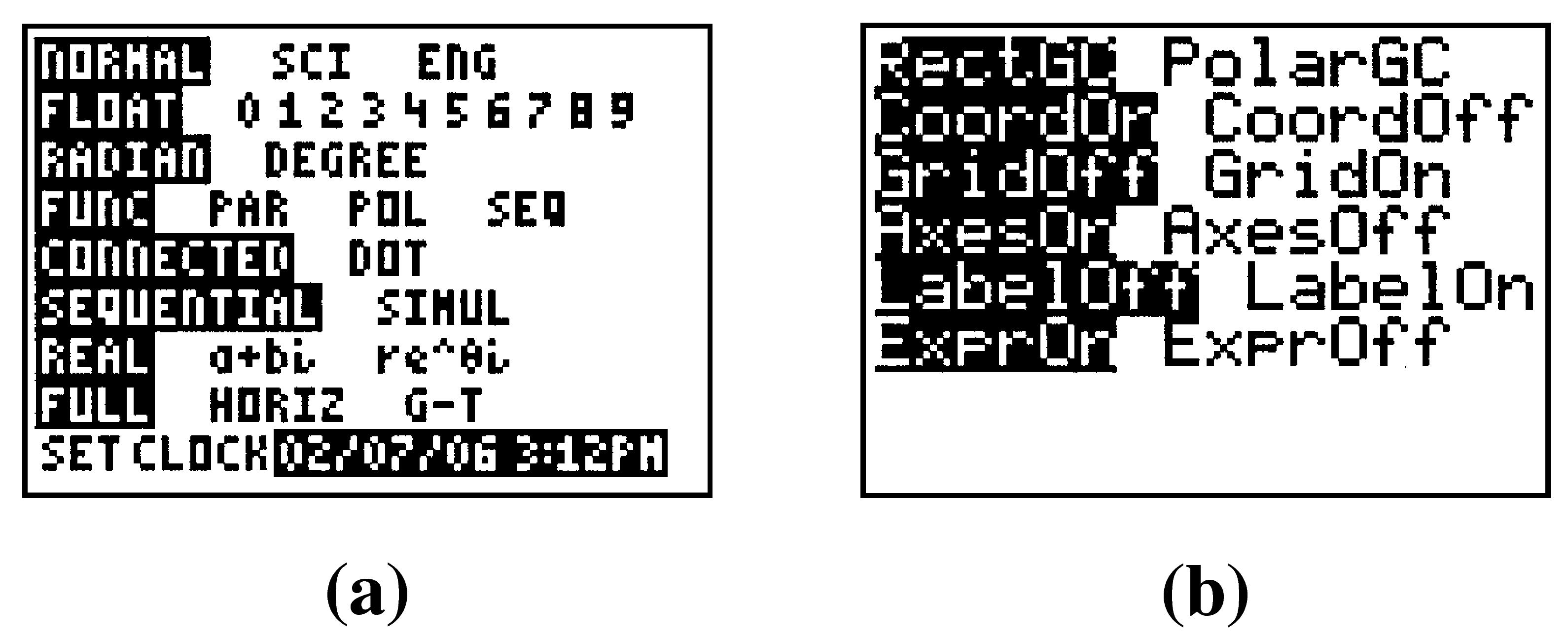
For the features we use in this book, the MODE and FORMAT should be in their default settings. Press MODE to see the menu in Figure B.2a, and 2ndZOOM to see the format menu in Figure B.5b. Use the Arrow keys and ENTER to alter the menus to the default settings if necessary. Note: The Set Clock function does not appear on the T1-83.