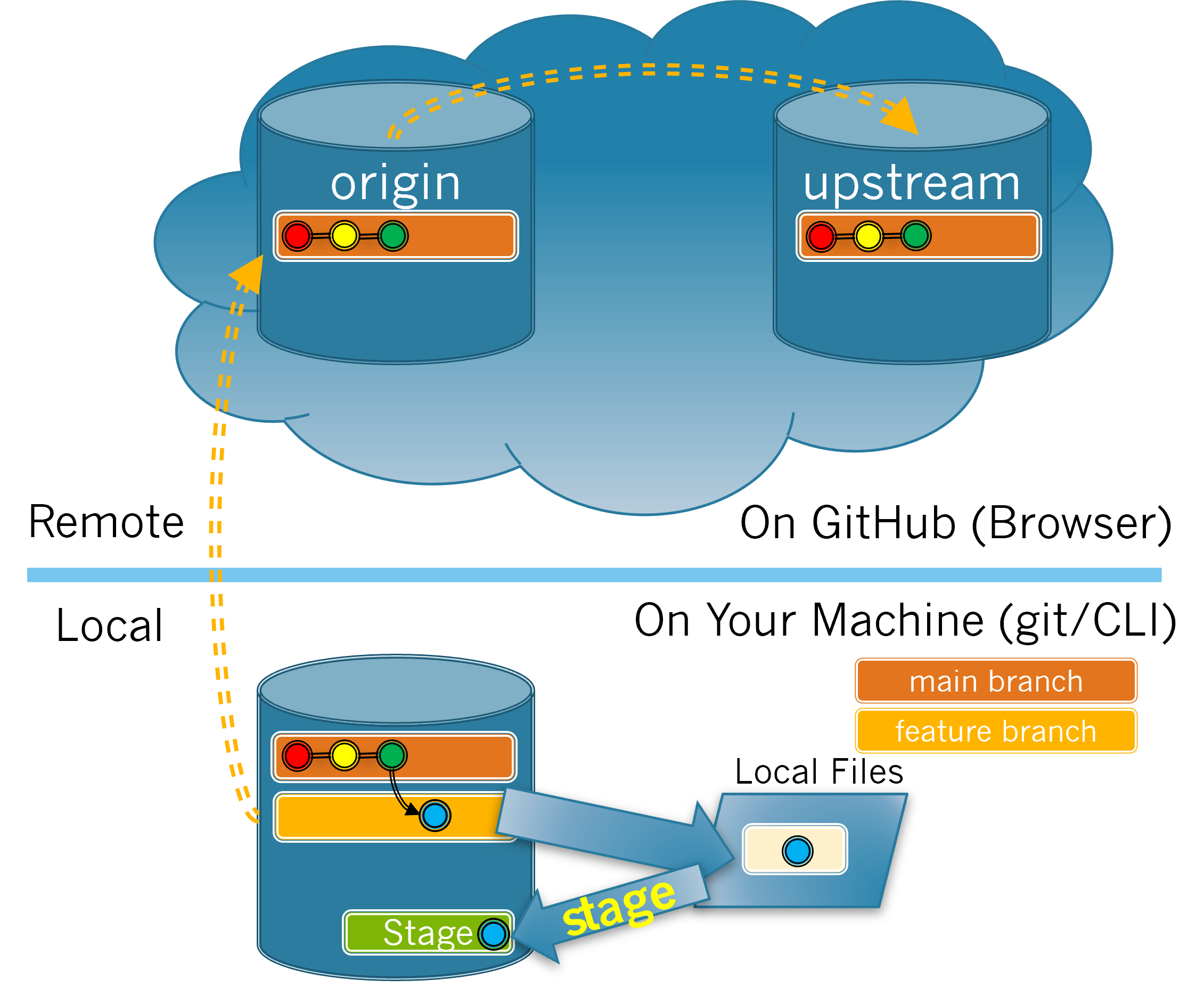
As you saw in the previous section, you now have modifications to your local files that have not been staged. The process of staging changes (i.e. adding the files to the stage) is illustrated in Figure 3.5.1. Recall from Figure 3.4.1 that the blue dot in Local Files represents the changes you made. In Figure 3.5.1, those changes are staged and will be made into a commit that is added to your feature branch in the next section.
Diagram showing that the git stage command results in change to the local files being represented in the staging area in preparation for being committed.
Correct! There are no differences because your changes were staged.
It shows the file name that I changed.
If you are seeing the file name you changed it means either you made additional changes after the git stage command was done or your git stage command did not work properly.
It shows the code I added in green.
If you are seeing code changes it means either you made additional changes after the git stage command was done or your git stage command did not work properly.
It shows the code I deleted in red.
If you are seeing code changes it means either you made additional changes after the git stage command was done or your git stage command did not work properly.
Hint.
The git diff command will only show the changes that have yet to be staged.
Note that Git also has a git add command that is equivalent to git stage. So, you can add files to the stage using either git stage or git add. These activities will use git stage because it seems more descriptive of what is happening. However, you are likely to see git add used in other resources, so it is worth knowing that they are equivalent.