1.
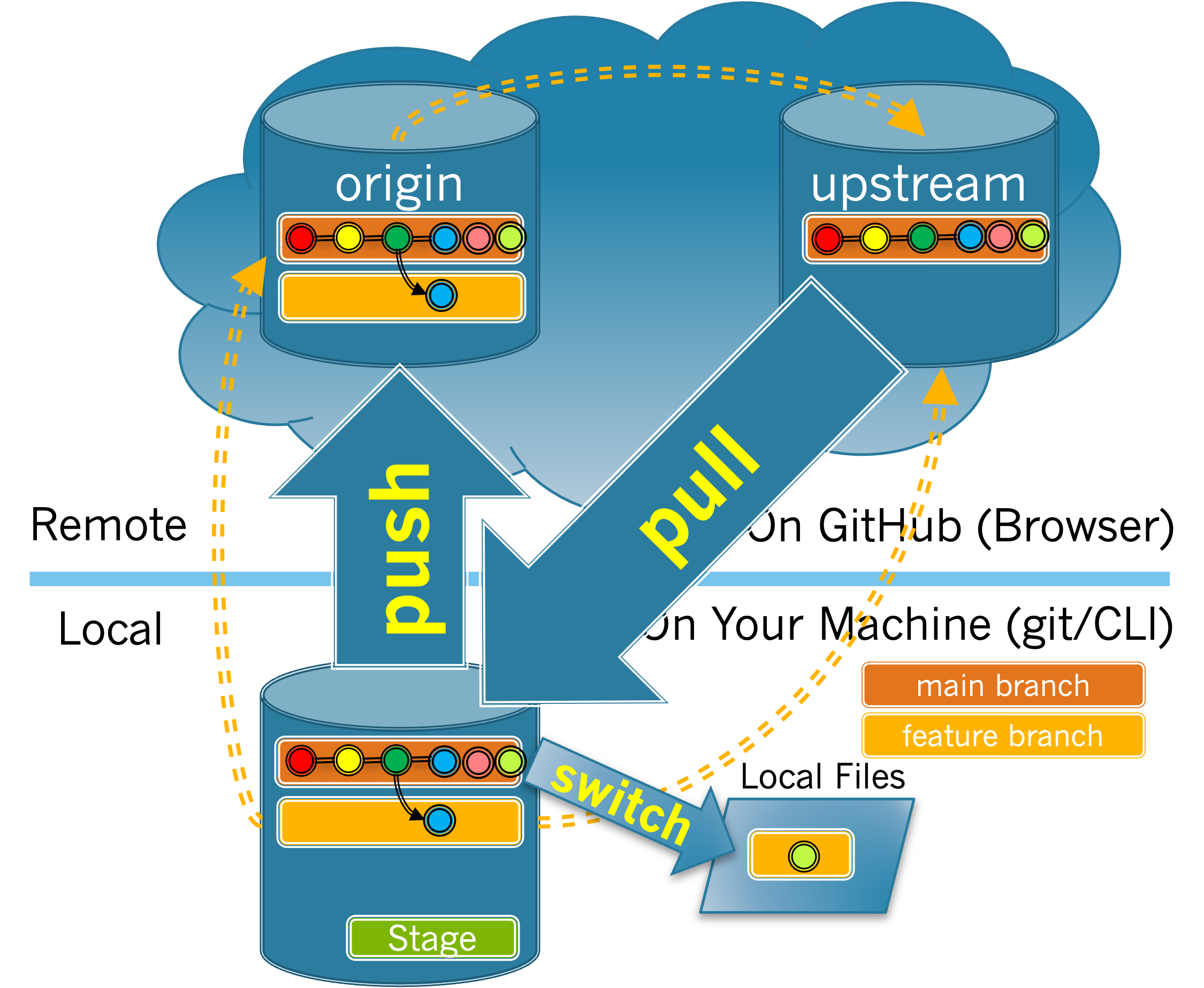
Answer the following questions using Figure 4.2.1
(a)
Which action will copy changes from the upstream repository to your local repository?
-
Pushing to your origin.
-
The push operation copies changes from your local repository to a remote repository.
-
Pulling from your origin.
-
The pull operation copies changes from a remote repository to your local repo. But which remote repo do you need to copy from?
-
Pushing to the upstream.
-
The push operation copies changes from your local repository to a remote repository. But, recall that you do not have permission to push to upstream.
-
Pulling from the upstream .
-
Correct!
-
Switching to your feature branch.
-
Switching branches does not move information between your local repository and a remote repository.
Hint.
Look back to at the figure to see which arrow goes from the upstream to your local repository.
(b)
Which action copies changes from your local repository to your origin repository?
-
Pushing to your origin.
-
Correct!
-
Pulling from your origin.
-
Pulling copies changes from a remote repository into your local repository.
-
Pushing to the upstream.
-
Pushing copies changes from your local repository to a remote repository. But recall that you do not have permission to push to upstream
main. -
Pulling from the upstream.
-
Pulling from the upstream copies changes that have been merged into the upstream to your local repository.
-
Switching to your feature branch.
-
Switching branches does not move information between your local repository and a remote repository.
Hint.
Look back to at the figure to see which arrow goes from your local repository to the origin.

