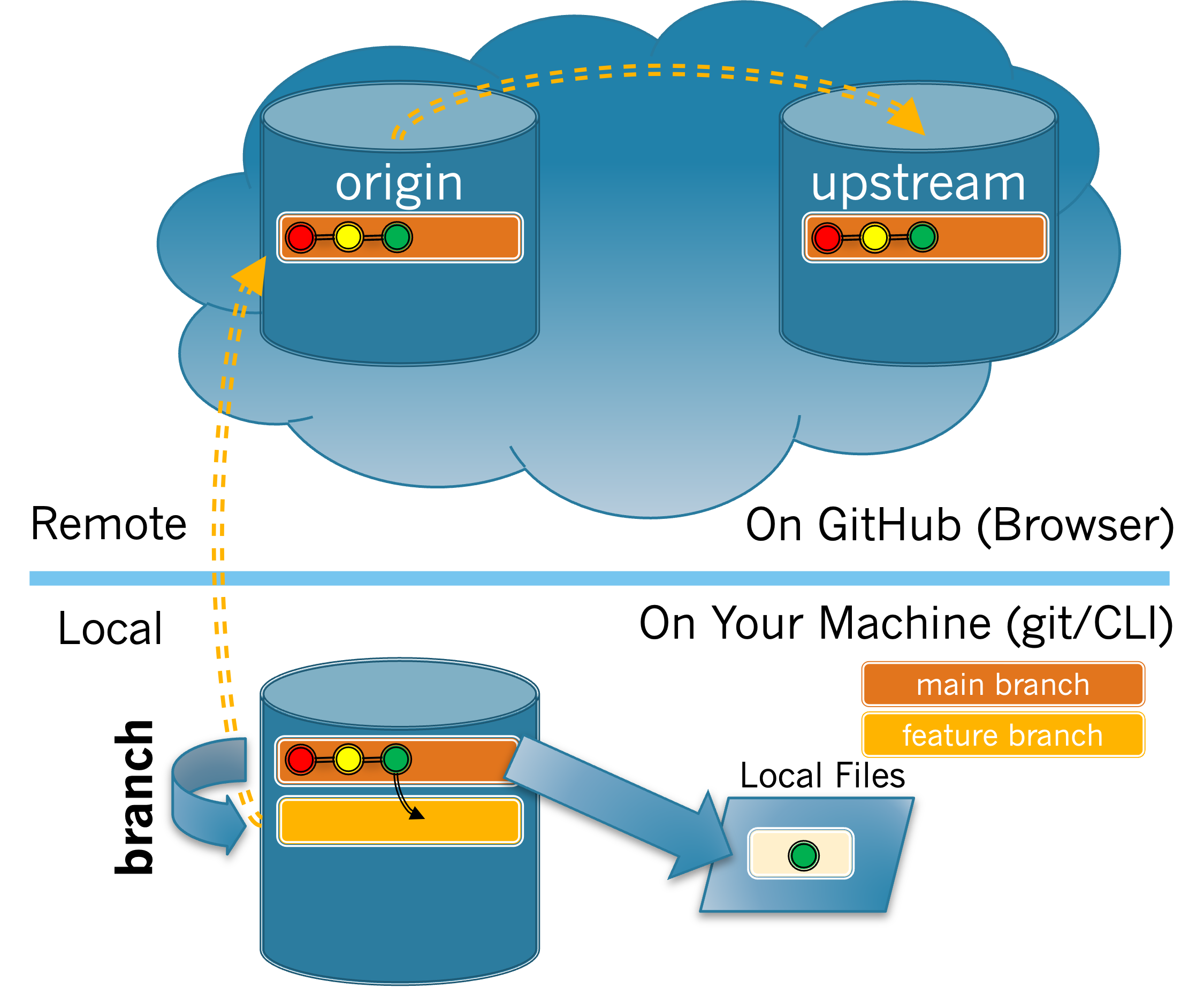
1.
The
git branch <name> command creates a new branch with the given name. When creating a branch, you should give it a short but descriptive name (e.g. fixTypoInReadme). Note: name may not have spaces, so you can use - (dashes) or CamelCaseText to divide words in your branch names. Remember not to include the < > when writing your own command.
(a)
If you want to create a new feature branch named fixTypoInReadme, which command should you use?
-
git branch fixTypoInReadme -
Correct!
-
git branch <fixTypoInReadme> -
The command should not contain < >.
-
branch fixTypoInReadme -
The command is missing
git. -
git fixTypoInReadme -
The command is missing
branch.
Hint.
Look back at the format of the command in the previous description.
(b)
Adapt the command from Task 3.2.1.a to create a branch for the issue you claimed. Type that command now.
What output was produced when you typed the
git branch command?
-
No output was provided.
-
Correct!
-
It said the branch was created.
-
Look at the terminal window again.
-
It gave an error statement.
-
Your branch was not created. Make sure your branch name does not contain spaces and that you did not include < >.
-
The current branch is <branch name>.
-
Look at the terminal window again.
Hint.
Look back at the format of the command and make sure you type it correctly.

