
Section 6.3 Copying Assignments
Subsection 6.3.1 Copying from your previous courses
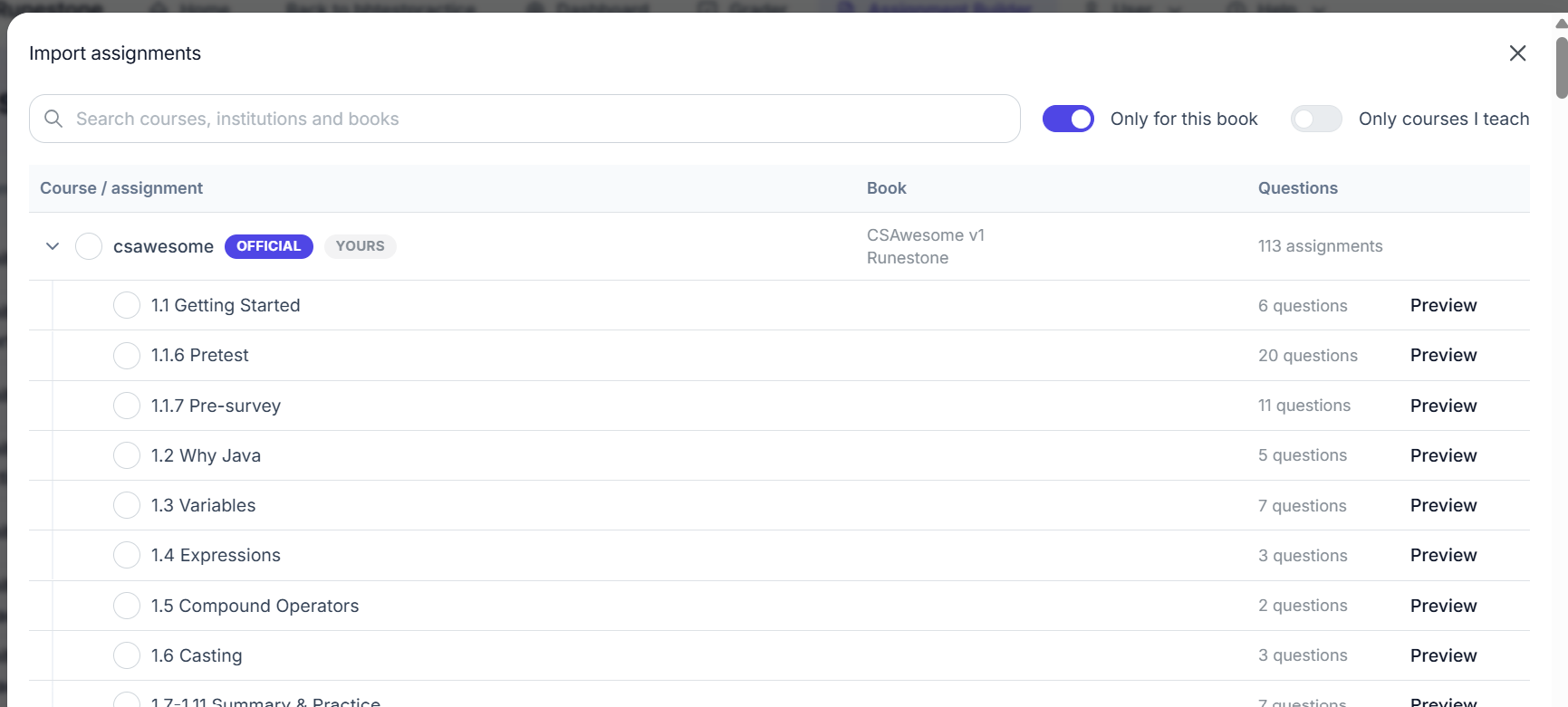
You may have multiple sections where you want to share assignments, or you may simply want to copy your assignments from the last time you taught a course to your current course or you may want to copy assignments provided by a base course. There is a new Import button at the top right of the screen available in the Assignment Builder in the Instructor Dashboard. You can select whether to restrict the list of courses to "Only for this book" or "Only for courses I teach" with the toggles at the top. Open the drop down next to a course name to choose specific assignments or all.
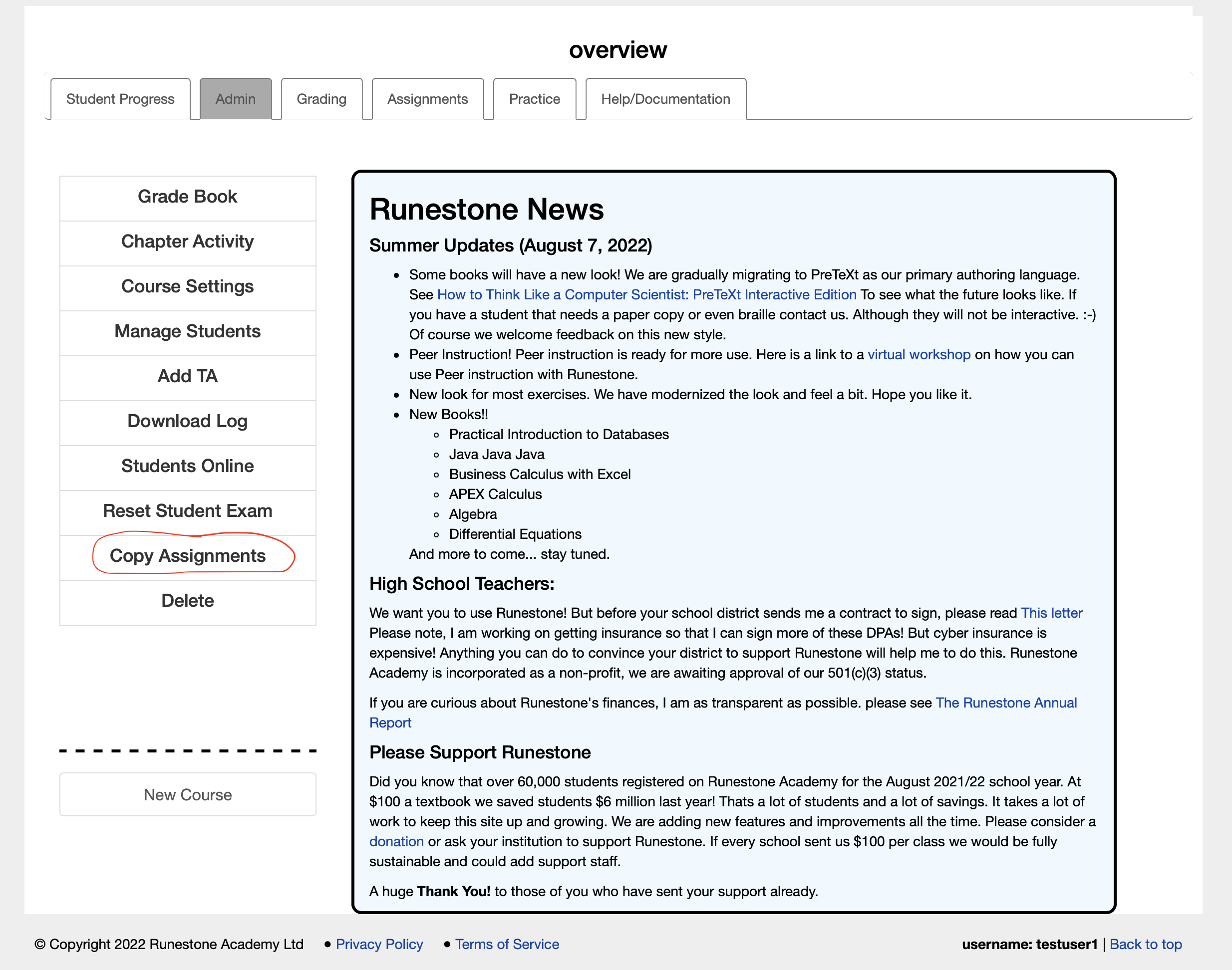
Or you can choose "Copy Assignment" from the Instructor Dashboard under the "Assignments & Grading" menu. Before copying assignments, it is a good idea to make sure that the course settings has the correct start date in the "Course Settings" in the "Course Administration" menu of the Instructor Dashboard so that the due dates are adjusted properly.
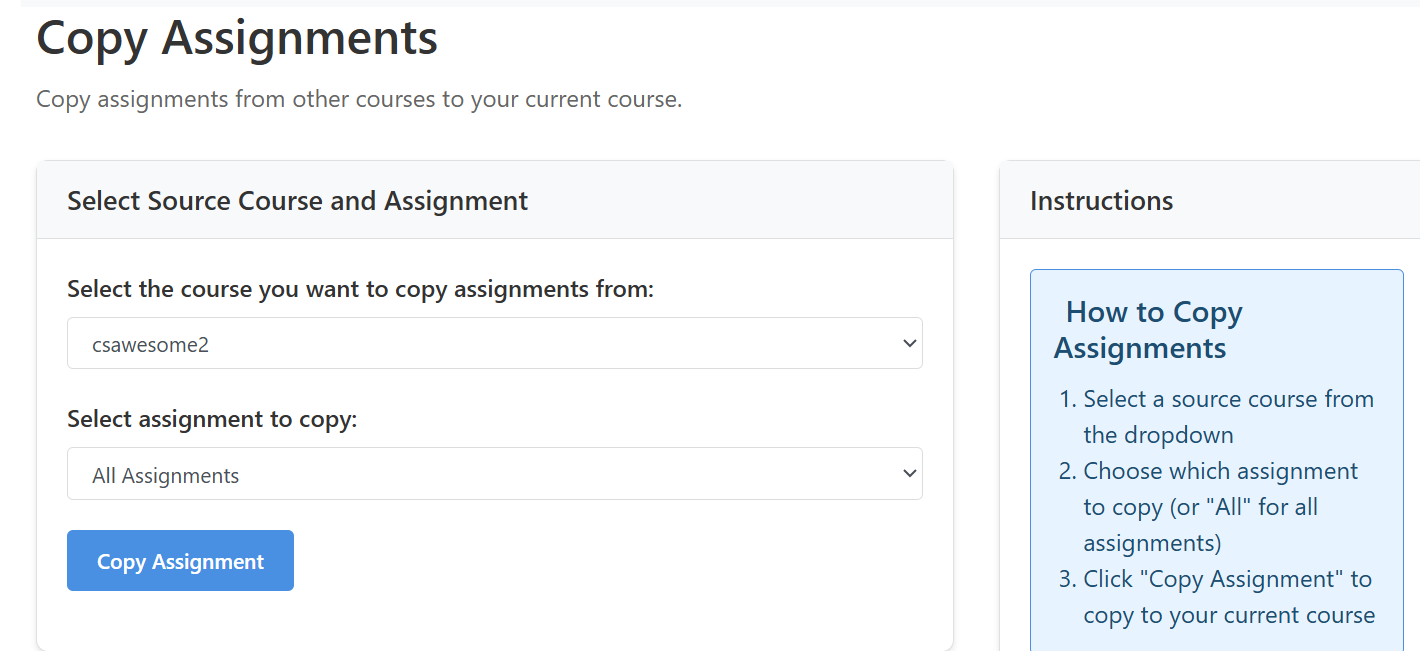
At the copy assignment page, select any of your old or current courses that use the same book or the base course if the author has created base course assignments.
Once the course is selected you can copy one or all of the assignments to your course. If you do this multiple times courses with the same name will be ignored on the second copy. This makes it a little easier if you just want to keep one course in sync with another so you don’t have to remember and pick and choose.
The system will add the assignments to your current course and make its best guess to adjust the due date, based on the number of days from the beginning of each course set in the Course Settings in the "Course Administration" menu of the Instructor Dashboard. This is going to get you in the ballpark, but you will probably have to manually adjust it due to differences in the calendar from year to year.
Subsection 6.3.2 Copying Base Course Assignments from the Author
Some authors have provided a pre-made set of assignments. You can copy these from the "base course" after you have created your course. The "base course" is the code for the book that you chose when you created your own course. Not all authors have done this yet, so your results will vary.
Subsection 6.3.3 Copying from a different Instructor
You can now ask the other instructor to go to Course Settings and share their assignments with you, which you can then Import through the Assignment Builder.
You have attempted of activities on this page.

